


CHEAP FOREX VPS
Well! Allow us to help you to obtain that. In FxSvPS, you will receive the value of Money. By taking into consideration the client’s requirement and price, we designed our VPS plan and costs. Our primary concern is to give quality Forex VPS with very competitive and market most affordable prices.
Cheap Forex VPS Plan:
At FxSvPS, the cheap Forex VPS plan begins with only $2.90 (Economic Starter Plan). Currently, we are offering this package at a 50% discounted price with a yearly subscription. In the Cheap Forex VPS plan, we are offering a month-to-month subscription just at $5.99, as well as it includes 1024 GB enhanced RAM and 20 GB pure SSD. This VPS plan is exceptionally appropriate for newbie Forex Trader that wants to run 1-2 MT4. If you wish to run more than 2 MT4 with several charts after that, you must choose the Economic Pro plan.
Numerous Server Location:
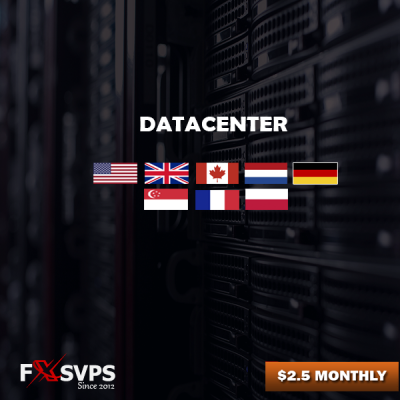
We have numerous server places, and all remain in major financial centers. Our server locations are the USA, Canada, UK, Netherlands, Germany, France, Singapore, Australia, and Poland. But For cheap Forex VPS plan server location depends on availability. If you need VPS from any specific server location, please ORDER VPS from Exclusive VPS Plan you can have the option to select the server location during order.
If you want to run more than 15 to 20 MT4/5, we suggest you go for Forex Dedicated Server. If you need any custom VPS plan or reselling plan, then please, you can also contact our support.
CHEAP FOREX VPS PLAN
50% DISCOUNTED PRICE NOW

Economy Starter
- 1 CPU Core (Intel)
- Optimized 800 MB RAM
- 15 GB Pure SSD
- Optimal 1 MT4/MT5
- Dedicated IP Address
- Max 2 Hours Set Up time
- Unlimited Bandwidth
- Up-time 100% Guarantee
- cTrader Optimized
- Available Location
- Pre MT4 Installation
- MT4 Auto Startup
- Back Up Enabled
- 7 Days Money Back
- NO HIDDEN FEES
- Only yearly billing
- Only $42 Yearly
- Only $70 Biannually
Economy Pro
- 1 CPU Core (Intel)
- Optimized 1600 MB RAM
- 25 GB Pure SSD
- Optimal 1-2 MT4/MT5!
- Dedicated IP Address
- Max 2 Hours Set Up time
- Unlimited Bandwidth
- Up-time 100% Guarantee
- cTrader Optimized
- Available Server Location
- Pre MT4 Installation
- MT4 Auto Startup
- Back Up Enabled
- 7 Days Money Back
- NO HIDDEN FEES
- Only $7.99 Monthly
- Only $82 Yearly
- Only $143 Biannually
ECONOMY ZONE
- 1 CPU Core (Intel)
- Optimized 1024 MB RAM
- 20 GB Pure SSD
- Optimal 1-2 MT4/MT5
- Dedicated IP Address
- Max 2 Hours Set Up time
- Unlimited Bandwidth
- Up-time 100% Guarantee
- cTrader Optimized
- Available Server Location
- Pre MT4 Installation
- MT4 Auto Startup
- Back Up Enabled
- 7 Days Money Back
- NO HIDDEN FEES
- Only $5.99 Monthly
- Only $52 Yearly
- Only $108 Biannually
GENERAL FAQ SECTION
I require to use a specific application. Can I do that?
SPECIFIC APPLICATION
Yes. Our solution is not exclusive to Forex trading and can be made use of with any kind of routine Windows application, as well as all types of trading, all brokers, as well as all software program systems. Each VPS is released with a separate setup of Windows Web server, which looks and reacts much like a normal PC. You can release Chrome or Firefox to surf the web, accessibility e-mail, etc., and download any kind of applications that you might require. Naturally, if you would such as aid setting up any software program that is not Pre-included, we will enjoy to aid. Merely open up an assistance ticket to demand aid with anything.
But keep in mind that we will currently not allow any damaging software, auto Bot, gush download, Hacking software application, and so on. If we locate any type of individual to produce such sort of concerns then we will certainly terminate without giving any type of major notification.
Exists any configuration or setup needed?
VPS CONFIGURATION
No. Our trading VPS systems are supplied ready-to-go. You will certainly be emailed all the info you require to access your VPS instantly. All you will need to do is visit to your MT4 account, or download as well as install other software you wish to make use of. We have actually included Chrome as well as a number of various other applications Pre-installed for your comfort.
If you are a Foreign exchange investor then you simply need to login your MT4/MT5 as well as link your EA. Moreover, if you face any type of difficulties to set up EA then contact our support and we will be more than happy to aid you. If demand, we will certainly provide you sustain through team viewer as well as telephone call.
Are there any kind of contracts or revival obligations?
NO OBLIGATIONS
No. We provide all services on a month-to-month basis (unless you have actually selected to Pre-pay for multiple months). Regardless of your invoicing cycle, there is never any kind of commitment to renew, and no fines for terminating your solution.
If you triggered your PayPal repeating repayment throughout order but do not want to proceed your service then merely cancel it from PayPal or ask our support team to assist you detailed and we are here to aid you 24/7.
Which VPS plan will appropriate for me?
SELECTING FOREX VPS
It depends on your requirement, how many MT4 you want to keep open in your VPS. Generally, it will be far better if you allot 1024 MB per MT4/MT5 software application so if you wish to maintain open 3 MT4 then you require to have 3000 MB or 3 GB RAM VPS. That suggests you need to go with the BASIC plan with 3 GB RAM. If you desire extra consultation then please call our assistance team.
Can I update my current VPS strategy at any time?
VPS UP-GRADATION
You can definitely switch/upgrade FxSVPS plans as you choose. You simply need to contact our 24/7 readily available client assistance device. They will be assisting you via this entire transfer process.
If you wish to run more than 3 MT4/MT5 with several Charts after that it will certainly be an optimal choice to update your existing VPS according to your wanted arrangement as well as packages. If you need any kind of custom-made setup then please call us for quotes or open an assistance ticket.
What type of payments do you approve?
PAYMENT GATEWAYS
We accept PayPal, Crypto Currencies, Skrill, Neteller, Perfect Money, Payeer, Payza, Web-money and also bank transfer. If you pay any Extra Amount, the credit will certainly be applied to your account; this enables you to prepay if preferred. Account credit report is constantly used prior to billing other sorts of repayments for recurring solution (if there is no energetic PayPal registration).
How much time does it require to set up a VPS?
VPS SETUP TIME
We do not concentrate on automation regarding new order processing as we manually deal with some security problems and also basics software. After the new order, our team will process it within a brief time as well as it might take half an hour to 2 hours depending upon the order queue.
Throughout the weekend break time, it might take up to 4 hrs to refine a new order. For additional information please get in touch with our support.
Is there any type of arrangement or setup needed?
NO CONFIGURATION REQUIRED
No. Our trading VPS systems are supplied ready-to-go. You will certainly be emailed all the info you require to access your VPS immediately. All you will require to do is log in to your MT4 account, or download as well as install other software you would like to use. We have actually included Chrome and a variety of various other applications pre-installed for your comfort.
Exactly how to optimize my trading VPS?
VPS OPTIMIZATION
Typically, we supply all optimization devices and suggestions to all customers to keep VPS fast as well as smooth as well as we have solid knowledge as well as a Frequently Asked Question section. Furthermore, we supply RAM optimization software application that will instantly maximize VPS ram when it’s called for.
For higher VPS experience it’s additionally essential to maintain all MT4/MT5 optimized to ensure that it’s run smoothly. Even more optimization techniques you can obtain from our knowledge base section.
LOOKING FOR MORE HIGHER PACKAGE?
EXCLUSIVE FOREX VPS PLAN

SPEED UP YOUR FOREX TRADING VPS
Our team of highly educated forex specialists understand your needs. We’re here 24/7 to support you.
200 MB RAM EXTRA FULLY FREE OF COST!
We love to give you something extra. From your all new order yearly subscription you will get 200 MB RAM bonus without any charge. It will keep your VPS fast and smooth.
HIGH PERFORMANCE SERVERS
Low latency Forex VPS
CHEAP FOREX VPS
Our cheap forex vPS plan will work like economy forex vps plan. Within Forex trading platform hosting, every quality VPS service holding stunning technical features is worthy of your concern because there’s scarcity of significant aspects like lowest latency period, entirely optimized meta-trader server function, 100% up-time guarantee among most of the Forex VPS service providers, it’s rather challenging to pick the finest one. Through the detailed technical analysis & progress whereas FxSVPS has strengthened its server’s hosting ability & hardware system with rock-solid performance skills. The base of our claim as best Forex VPS has been laid by dedicated approaches combining with establishing purely strategic data center location, latest hardware technology, latency elimination & much more. However, our huge client base which is growing day by day has always been our motivation to bring in the best Forex VPS hosting service. In this economy Forex VPS plan our key plan to implement affordable Forex VPS with very cheap cost and quality service.
BEST FOREX VPS
A superiority VPS service holding stunning technical features is worthy of your consideration for meta-trader hosting. As there’s scarcity of significant aspects like lowest latency period, perfectly optimized meta-trader server functionality, 100% up-time guarantee among the most Forex VPS service providers, it’s somewhat problematic to pick the finest one. Through the detailed technical analysis & progress, FxSVPS has strengthened its server’s hosting capacity & hardware system with rock-solid performance skills. The ground of our claim as best Forex VPS has been laid by dedicated approaches combining with establishing purely strategic data center location, latest hardware technology, latency elimination & much more. Our huge client base, which is growing day by day has always been our inspiration to bring in the best Forex VPS hosting service.
FREE FOREX VPS
Being a Forex trader, it must be a main treat for you to gain a grip of cost-free Forex VPS service having inclusive functionality. This opportunity would be worth to seek your attention where you can pick up a free VPS trial while running trading accounts through VPS hosting service. FxSvPS hands out free VPS plans to its potential clients so they can have explicit ideas on major & trivial technical details about VPS hosting service. In addition, you will be prepared to accommodate our regular cheap Forex VPS plans & meet the needs altogether.